
TPS Big agent logo
  • About Agency
  • Agency Plans
  • Rules
  • Why Join
  • How to Join
  • Big Agent India
  • Steps
TPS Big agent logo
DOWNLOAD GAME
TPS menu Icon

HomeEarning app

Posts tagged: Earning app

Teen Patti Stars withdrawal pending status and troubleshooting guide

Teen Patti Stars Withdrawal Pending: What You Should Know

September 6, 2026
by Rosh Blog

Teen Patti Stars withdrawal pending status and troubleshooting guide

If your Teen Patti Stars withdrawal is stuck on “pending,” you’re not alone. A lot of players in India run into this exact situation—especially after a good winning session. Here’s a clear, practical breakdown of why it happens, how long it can take, and exactly what you can do next.

Why Is the Withdrawal of Teen Patti Stars Still Unresolved? 

A “pending” status simply means the app has received your request but hasn’t released the money yet. Common reasons include:

  • Incomplete or mismatched KYC — Aadhaar, PAN, selfie, or bank details don’t match perfectly (name spelling, DOB, or photo quality issues are frequent).
  • First-time or large withdrawal — Extra security or manual review is triggered.
  • Banking / UPI delays — Name mismatch between your UPI handle/bank account and PAN, temporary bank outages, high traffic, weekends, or public holidays.
  • High transaction volume — Peak hours, festival periods, or post-bonus rushes slow things down.
  • Security or compliance checks — Especially for bigger amounts (TDS-related verification under Indian tax rules can also play a role on legitimate platforms).
  • Incorrect payment details — Wrong account number, UPI ID, or inactive bank account.

Avoid submitting the same withdrawal request multiple times while it’s still pending—this can create more delays or flag the account.

How Long Does a Teen Patti Stars Withdrawal Usually Take?

Processing times vary:

  • Small, verified UPI withdrawals on a fully KYC-approved account can clear in minutes to a few hours.
  • First withdrawals, larger amounts, or anything needing manual review often take 24–72 hours.
  • Bank transfers (IMPS/NEFT) can stretch longer during weekends, bank holidays, or high-load periods.

If it’s been more than 48–72 hours with no update and your KYC is complete, it’s time to act.

What To Do If Your Teen Patti Stars Withdrawal Is Pending

Checking Teen Patti Stars withdrawal transaction history and reference ID

  1. Check the status inside the app Go to Wallet → Transaction History. Note the exact status, reference/transaction ID, amount, and timestamp. Take clear screenshots.
  2. Verify your KYC and payment details Confirm Aadhaar + PAN are approved and the name matches your bank/UPI exactly. Fix any “under review” or rejected documents first—this is the most common fix.
  3. Contact official support Use the in-app support, WhatsApp, or Telegram channels listed in the app (Teen Patti Stars has shared numbers like Telegram +91 73833 18961 and WhatsApp options in older FAQ pages). Provide:
    • Registered mobile number
    • Withdrawal ID / screenshots
    • Amount and date
    • KYC status Stay polite and factual. Follow up if you don’t hear back within 24 hours.
  4. Double-check the receiving account Make sure the UPI ID or bank account is active and in the exact same name as your KYC. A small name mismatch (e.g., “Rahul K” vs “Rahul Kumar”) can silently hold the payment.
  5. Wait through one full banking cycle After the app marks it “processing,” give the bank/UPI network T+1 time. Many delays clear once the payment rail settles.
  6. Escalate if needed (India-specific options)
    • Raise a dispute with your bank/UPI provider using the UTR if money left the app but never reached you.
    • For suspected fraud or non-responsive apps, report on cybercrime.gov.in or call 1930. Keep all screenshots and transaction records.
    • Consumer complaint platforms can also help document the case.

Quick Tips to Avoid Future Pending Issues

  • Complete full KYC (Aadhaar + PAN + bank) before your first real withdrawal.
  • Use the same name and mobile number everywhere—registration, KYC, UPI, bank.
  • Start with a small test withdrawal after KYC approval.
  • Prefer UPI during bank working hours (roughly 9 AM–5 PM IST) when possible.
  • Keep screenshots of every step and never share OTPs or passwords.

Important Note for Indian Players

Tips to avoid future Teen Patti Stars withdrawal pending issues

Online real-money gaming rules tightened significantly in 2026. Many platforms faced restrictions or shutdowns. Always confirm the current legal status of any app in your state and play only where allowed. Services are already restricted in states such as Assam, Arunachal Pradesh, Andhra Pradesh, Telangana, Odisha, and Nagaland. Play responsibly, only with money you can afford, and treat any pending balance on unverified or offshore apps with caution—recovery can be difficult.

FAQ – Teen Patti Stars Withdrawal Pending

Why is my Teen Patti Stars withdrawal still pending after 24 hours?

Usually KYC review, name mismatch, or banking delay. Check status and contact support with your transaction ID.

Can I cancel a pending withdrawal?

Some platforms allow it before processing starts; others process immediately. Check the app or ask support.

What if support is not responding?

Document everything, raise a bank/UPI dispute if applicable, and consider a cybercrime report for unresponsive or suspicious apps.

Does TDS affect withdrawals?

On compliant platforms, tax rules can require PAN verification and may involve deductions on net winnings. Incomplete PAN status often causes holds.

Stuck withdrawals are frustrating, but most resolve once KYC and payment details are clean and support is given the right information. Stay patient for the first 48 hours, keep records, and escalate methodically if needed. If you’re dealing with a specific error message or status, share more details for more targeted help.

Read More
Teen Patti Stars app not working troubleshooting guide for Android users

Teen Patti Stars App Not Working? Troubleshooting Guide

September 6, 2026
by Rosh Blog

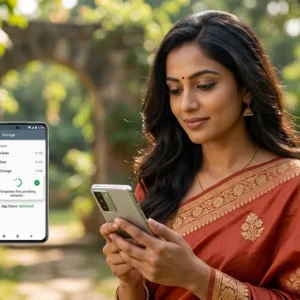
Teen Patti Stars app not working troubleshooting guide for Android usersFacing the frustration of the Teen Patti Stars app not working can ruin your evening, especially when you’re ready for a quick game of Teen Patti or Rummy with friends across India. Whether the app refuses to open, keeps crashing, shows a blank screen, or fails during login, the good news is that most of these problems have simple fixes. This guide walks you through practical, step-by-step solutions tailored for Indian users on Android (the main platform) so you can get back to playing quickly.

Why Does the Teen Patti Stars App Stop Working?

Several everyday reasons cause the Teen Patti Stars app not working issue:

  • Unstable internet (common with fluctuating mobile data or crowded Wi-Fi in cities like Mumbai, Delhi, Bangalore, or Hyderabad)
  • Outdated app version after a server update
  • Full storage or corrupted cache
  • Background apps hogging memory
  • Temporary server maintenance on the platform side
  • Device compatibility or permission issues

These problems affect players all over India, from metro users to those in smaller towns relying on 4G/5G.

Quick Fixes When Teen Patti Stars App Is Not Working

Start with these basic steps before diving deeper. They resolve the majority of cases.

  1. Check Your Internet Connection

Switch between Wi-Fi and mobile data. If you’re using WiFi, restart your router.  Turn airplane mode on for 15 seconds, then off. Avoid VPNs for a moment as they sometimes interfere with the app’s servers. A stable connection is essential for smooth login and gameplay.

  1. Restart Your Phone

A simple restart clears temporary glitches. Power off your device completely, wait 30 seconds, and turn it back on. Open the app again.

  1. Force Stop the App

Go to Settings → Apps → Teen Patti Stars → Force Stop. Then reopen it. This refreshes the app without deleting anything.

  1. Clear Cache and Data

Clearing Teen Patti Stars app cache and data to fix problems

  • Open Settings → Apps → Teen Patti Stars (or Application Manager on older phones).
  • Tap Storage → Clear Cache.
  • If needed, also Clear Data (you may need to log in again).

This removes temporary files that often cause the Teen Patti Stars app not working or crashing problems.

  1. Free Up Storage Space

Make sure you have at least 500 MB–1 GB free. Delete unused apps, photos, or videos. Low storage frequently stops the app from opening properly.

  1. Get the most recent version of the app. 

Download the newest APK only from the official Teen Patti Stars website (teenpattistars.io or the current official domain). Avoid third-party sites. Outdated versions lose compatibility after server updates and become a top reason the app stops working.

  1. Reinstall the App

Uninstall Teen Patti Stars completely. Restart your phone. Download the fresh APK from the official source, enable “Install from unknown sources” if prompted, and install again. To log in, enter your registered cellphone number. 

  1. Check Device Compatibility and System Updates

Ensure your Android version is reasonably recent. Update your phone’s system software via Settings → System → System Update. Close other heavy apps running in the background.

Common Specific Issues and Solutions

App Opens but Shows Black/Blank Screen

Clear cache, free storage, and reinstall. Also try switching networks.

Login Problems or OTP Not Coming

Double-check your mobile number (use the correct Indian number without extra spaces). Wait a couple of minutes and request OTP again. Ensure SMS is not blocked. Switch networks if needed. If the account appears locked after multiple attempts, wait 30 minutes or contact support.

App Crashes During Gameplay

Update the app, clear cache, and ensure stable internet. Low battery or overheating can also trigger this—charge your phone and close background apps.

“App Not Installed” Error

The download may be corrupted. Delete the APK, free space, restart the phone, and download again from the official site.

Extra Tips for Indian Players

  • Use a reliable 4G/5G connection or home Wi-Fi, especially during peak evening hours when many players are online.
  • Keep your registered mobile number active for OTP and support.
  • Note that services are restricted in certain states (Assam, Arunachal Pradesh, Andhra Pradesh, Telangana, Odisha, and Nagaland). Playing from restricted areas can cause access issues.
  • Always download from official sources only to avoid malware or fake versions that worsen problems.
  • For payment or withdrawal-related glitches (separate from pure app performance), complete KYC properly and use supported methods like UPI.

Still Not Working? Contact Support

Contacting Teen Patti Stars support for unresolved app problems

If the Teen Patti Stars app is still not working after trying the steps above, reach out to the official support team. They offer 24/7 help via in-app chat, Telegram, WhatsApp, or the numbers listed on the official website. Share screenshots of the error, your device model, and Android version for faster resolution.

Most players get the app running again within a few minutes using the basic fixes. Keep the app updated, maintain free storage, and use a stable connection—these habits prevent most future issues.

Play responsibly, stay within your limits, and enjoy your games. If this guide helped fix your Teen Patti Stars app not working problem, share it with fellow players who might be stuck too.

Read More
een Patti Stars login problem and troubleshooting guide for Indian users

Teen Patti Stars Login problem, Common Causes & Fixes

September 6, 2026
by Rosh Blog

een Patti Stars login problem and troubleshooting guide for Indian usersFacing a teen patti stars login problem is frustrating—especially when you just want to jump into a quick Teen Patti or Rummy session after a long day. Whether the app is stuck on the login screen, OTP isn’t arriving, or you’re getting an error despite entering the right details, most issues have simple fixes that work for Indian players on Jio, Airtel, Vi, or BSNL networks.

This guide covers the real reasons behind Teen Patti Stars login failures and step-by-step solutions that actually help in 2026. Everything is written fresh for Indian users, focusing on common local network hiccups, Android APK updates, and practical workarounds.

Why Teen Patti Stars Login Fails for Indian Players

Here are the most common causes of the teen patti stars login problem:

  1. Unstable internet or network switching issues Weak mobile data, sudden switch between Wi-Fi and data, or congested networks during peak evening hours (especially in metros like Mumbai, Delhi, Bangalore, Hyderabad, or Kolkata) often block login or OTP delivery.
  2. Outdated app version Teen Patti Stars is primarily Android-based and frequently updates. Older APKs lose compatibility with server-side changes.
  3. OTP not received or delayed SMS delivery problems are very common in India due to DND settings, full message inbox, network congestion, or temporary blocks after multiple requests.
  4. Wrong credentials or account lock Typing errors, extra spaces, wrong country code, or multiple failed attempts can temporarily lock the account.
  5. App cache, data corruption, or storage issues Cached files or low storage can stop the login process from completing.
  6. Server maintenance or temporary downtime Occasional backend updates or high traffic can cause temporary login blocks. Official channels sometimes announce these.
  7. Device or permission-related problems Restricted background data, disabled SMS permissions, or older Android versions can interfere.

Quick Fixes for Teen Patti Stars Login Problem

Fixing Teen Patti Stars login problems caused by internet connection issues

Try these solutions in order—most players resolve the issue within a few minutes.

  1. Check and switch your internet connection
  • Switch between Wi-Fi and mobile data.
  • Turn airplane mode on for 15–20 seconds, then off.
  • Restart your router if on Wi-Fi.
  • Temporarily disable any VPN (VPNs often cause login failures on Indian gaming apps).
  • Close heavy background apps that eat bandwidth.
  1. Update or reinstall the latest Teen Patti Stars APK
  • Uninstall the current version.
  • Download the latest APK only from the official Teen Patti Stars website (teenpattistars.io or tps.game).
  • Enable “Install from unknown sources” if needed, install, and try logging in again. Updating fixes most compatibility-related teen patti stars login problem cases.
  1. Clear app cache and data
  • Go to phone Settings → Apps → Teen Patti Stars → Storage.
  • Tap Clear Cache first.
  • Clear Data (you might need to log in again) if it doesn’t work. 
  • Restart your phone and try once more.
  1. Fix OTP not received issue
  • Confirm the mobile number is correct (with +91 if required).
  • Before asking for a new OTP, wait two to three minutes.  Avoid spamming the resend button.
  • Check your SMS inbox and spam/junk folder.
  • Ensure the number is not on DND in a way that blocks transactional SMS, and that message storage isn’t full.
  • Switch networks or restart the phone.
  • If it still fails, try logging in later or contact support with your registered number.
  1. Reset password or recover account
  • Use the “Forgot Password” option on the login screen.
  • To create a new password, enter your registered mobile number and follow the OTP instructions.
  • Double-check for typos and avoid autofill if it enters old details.
  1. Other helpful steps
  • Free up storage space (aim for at least 500 MB free).
  • Update your Android system if available.
  • Try logging in on a different device if possible.
  • Wait 30–60 minutes if the account was temporarily locked after failed attempts.

When to Contact Teen Patti Stars Support

Contact official support if none of the aforementioned methods work. From their channels:

Have ready: your registered mobile number, any error screenshots, approximate time the issue started, and device details. Support is available to help with account recovery and technical login issues.

Note for Indian players: Real-money gaming is restricted in certain states (including Assam, Andhra Pradesh, Telangana, Odisha, Nagaland, Arunachal Pradesh, and others). Verify local regulations at all times, and only participate if you are at least eighteen. 

Tips to Avoid Future Teen Patti Stars Login Problems

Tips to prevent future Teen Patti Stars login problems

  • By often visiting the official website, you can keep the app updated. 
  • Enable all available security settings and create a strong, one-of-a-kind password. 
  • Prefer stable Wi-Fi or good mobile data during login.
  • Don’t request OTPs repeatedly in quick succession.
  • Clear cache periodically and maintain free storage.
  • Follow official Telegram channels for server status updates.

Most teen patti stars login problem cases in India get fixed with a network switch, app update, or cache clear. Start with the simplest steps above and you should be back at the table soon. Play responsibly and enjoy the game!

Read More
Teen Patti Stars account verification guide for new users in India

Teen Patti Stars Account Verification Guide for New Users

September 6, 2026
by Rosh Blog

Teen Patti Stars account verification guide for new users in India If you just downloaded Teen Patti Stars and created an account, one of the first things you’ll want to sort out is teen patti stars account verification. It keeps your account secure, helps with recovery if you ever lose access, and is usually required before smooth withdrawals or higher-value features. This guide walks through the process in plain language for new users in India — no fluff, just the practical steps that actually matter.

Why Teen Patti Stars Account Verification Matters

Verification confirms that the mobile number or email you used belongs to you. It reduces fake accounts, protects against unauthorized access, and makes future support or recovery much easier. On platforms popular in India, completing basic verification early also avoids delays later when you want to add funds or cash out (where additional identity checks often apply). Age confirmation (18+) is part of the platform’s responsible gaming approach.

Always use the official Teen Patti Stars app or website. Avoid third-party links or cloned sites.

What You Need Before Starting

  • A working Indian mobile number (most common method)
  • Stable internet / mobile network
  • Access to your SMS inbox (and email if you linked one)
  • Basic account details ready (name, etc., matching what you registered)

For later stages or withdrawals in the Indian context, people commonly prepare:

  • Aadhaar linked to the same mobile
  • PAN linked to that Aadhaar (name should match)
  • UPI or bank account under your own name 

Have clear photos ready if document upload is requested.

Step-by-Step: Teen Patti Stars Account Verification for New Users

Teen Patti Stars phone OTP verification process on smartphone

  1. Register or log in

Open the official Teen Patti Stars app (Android users currently have the main access). To register or log in, use your cellphone number.  You’ll usually receive an SMS OTP right away.

  1. Complete phone (SMS) verification
  • Put the OTP that was sent to your registered number here. 
  • Submit it promptly — codes often expire quickly.
  • If it doesn’t arrive, check network coverage, wait a minute, and request a new code. Don’t reuse an old one.

This is the most common and fastest way new Indian users finish basic teen patti stars account verification.

  1. Email verification (if offered or required)

Some accounts also ask for email confirmation:

  • Check your inbox (and spam/junk folder) for a verification link or code.
  • Click the link or enter the code.
  • Verify that the email address was entered accurately when registering. 
  1. Finish any remaining profile or security steps

Set a strong password (avoid birthdays, phone numbers, or simple sequences). Complete any on-screen prompts for basic details. The platform may flag incomplete verification and remind you later.

  1. Additional identity checks (common for withdrawals or higher activity in India)

Basic phone/email verification gets you playing. For cash-related features, many similar platforms request further steps such as:

  • uploading crisp images of PAN and Aadhaar (front and back) 
  • A live selfie (good lighting, face clearly visible, no filters)
  • Sometimes a cancelled cheque or bank proof

Tips for clean submission:

  • Use natural daylight, white or plain background
  • Capture all four corners of documents, no glare or fingers covering text
  • Keep file sizes reasonable and formats as requested (usually JPG/PNG)
  • Ensure name, DOB, and details match across Aadhaar, PAN, bank, and your profile

Submit once carefully — multiple failed attempts can slow things down.

Common Issues and Quick Fixes

  • OTP not arriving: Confirm the number is correct and has network. Request a fresh code. Consider alternating between mobile data and Wi-Fi. 
  • Email link missing: Check spam, wait a few minutes, or re-request.
  • Document rejection: Blurry images, mismatched names, or expired IDs are frequent causes. Retake photos in better light and ensure everything matches.
  • Account recovery later: Verified phone/email makes this much smoother.

If something gets stuck, use the in-app support or official contact channels rather than random social media accounts.

Additional Advice for Indian Users (Local & Useful SEO Perspective) 

  • Services are not offered in certain states (Assam, Arunachal Pradesh, Andhra Pradesh, Telangana, Odisha, Nagaland — always check the latest disclaimer in the app).
  • Play only if you are 18+. The platform takes underage use seriously.
  • Keep your Aadhaar mobile link active and PAN operative/linked — these reduce friction on many Indian gaming platforms.
  • Use UPI, popular wallets, or bank options that match your verified name for smoother transactions later.
  • Practice responsible play: set limits, take breaks, and never chase losses.

Final Checklist for Smooth Teen Patti Stars Account Verification

Teen Patti Stars account verification checklist and security tips

  • Registered with a real Indian mobile number you control
  • OTP entered successfully
  • Email linked and verified (if prompted)
  • Strong password set
  • Profile details accurate
  • Documents ready and clear if further KYC is needed

Completing teen patti stars account verification early saves time and headaches. Once done, you can focus on the games instead of support tickets. Always stick to official channels, keep your login details private, and play responsibly.

This guide is based on typical flows seen on the platform and common practices for Indian users as of recent information. Exact screens or requirements can update, so follow the in-app prompts for the most current steps. Enjoy the game safely!

Read More
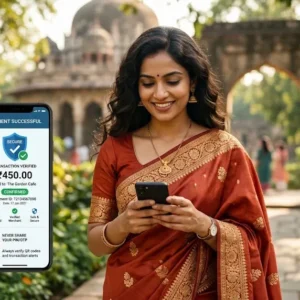
Teen Patti Stars UPI guide showing UPI payments on a smartphone in India

Teen Patti Stars UPI Guide: How UPI Payments Work

September 6, 2026
by Rosh Blog

Teen Patti Stars UPI guide showing UPI payments on a smartphone in India If you play Teen Patti Stars in India, UPI is the payment method that makes everything feel simple. No complicated bank details, no waiting for days, and no extra wallet top-ups in most cases. This guide explains exactly how teen patti stars UPI deposits and withdrawals work, why it is the preferred option for Indian players, and the practical steps that keep things smooth.

Why UPI Dominates Teen Patti Stars Payments in India

UPI (Unified Payments Interface) is India’s real-time payment system run by NPCI. It connects your bank account directly to apps like Google Pay, PhonePe, Paytm, and BHIM. You only need a UPI ID (something like yourname@oksbi or yourname@ybl) or a QR code.

For Teen Patti Stars users across India, this means:

  • Deposits usually credit in seconds
  • Withdrawals can reach your bank account much faster than traditional methods
  • Transactions work 24/7, including weekends and holidays
  • No need to share full bank account numbers or IFSC codes for every payment

Most players in cities and smaller towns prefer teen patti stars UPI because it feels familiar — the same system they already use for groceries, recharges, and peer-to-peer transfers.

How UPI Actually Works Behind the Scenes

When you make a payment on Teen Patti Stars:

  1. You select UPI and enter the amount or scan a QR.
  2. Your UPI app (PhonePe, GPay, etc.) receives a request.
  3. You authenticate with your UPI PIN (or biometric).
  4. The request goes through your bank’s payment service provider to the NPCI switch.
  5. NPCI routes it to the receiving side and confirms the transfer almost instantly.

The money moves bank-to-bank. No intermediate wallet balance is required in most cases. That is why deposits feel immediate and why many Indian players stick with UPI over cards or net banking for Teen Patti Stars.

Step-by-Step: Depositing with Teen Patti Stars UPI

Step-by-step Teen Patti Stars UPI deposit process on a smartphone

  1. Open Teen Patti Stars and log in.
  2. Go to the wallet, Buy Chips, or Deposit section.
  3. Choose the amount you want to add.
  4. Select UPI as the payment method.
  5. Either enter your UPI ID or scan the QR code shown on screen.
  6. Approve the request in your UPI app by entering your PIN.
  7. Wait a few seconds — the chips or balance should appear in your Teen Patti Stars account.

Tips that help Indian users:

  • Keep your registered mobile number active and linked to the bank account.
  • Use the same UPI ID that is already verified with your bank.
  • Start with a small amount the first time to confirm everything works.

How Withdrawals Work with Teen Patti Stars UPI

Withdrawals follow a similar flow but include platform verification steps:

  1. Open the Withdraw or Cashier section in Teen Patti Stars.
  2. Select UPI as the withdrawal method.
  3. Enter the amount and your UPI ID (make sure the name matches your KYC details).
  4. Confirm the request.
  5. Complete any required verification if prompted (KYC is often needed for first-time or larger withdrawals).
  6. Once approved, the money is sent to the bank account linked to that UPI ID.

Processing times vary. Many users report funds arriving within minutes to a few hours after approval. Larger amounts or first withdrawals may take longer because of security checks.

Important Things Indian Players Should Know

KYC matters

Most platforms require Aadhaar and PAN verification before larger withdrawals. Linking a UPI ID that matches the name on your KYC documents reduces rejection chances.

Limits

UPI has bank-level daily limits (commonly around ₹1 lakh, though this can vary). Teen Patti Stars may also set its own minimum and maximum per transaction. Always check the app’s current restrictions. 

Fees

UPI itself is free for users in most cases. Some platforms may charge a small withdrawal fee — check the terms before requesting a payout.

Common issues and quick fixes

  • Transaction declined → Try a different UPI app or switch between UPI ID and QR.
  • Delay in credit → Note the UTR/transaction ID and contact support with a screenshot.
  • Name mismatch → Ensure the UPI ID is linked to an account in the same name as your KYC.

Local SEO Angle: Why This Matters Across India

Whether you are in Mumbai, Delhi, Bengaluru, Hyderabad, or smaller towns, teen patti stars UPI works the same way because UPI is nationwide. Players in tier-2 and tier-3 cities particularly benefit — no need for complex net banking or international cards. The system is designed for mobile-first users who already rely on PhonePe and Google Pay daily.

Safety Practices for Teen Patti Stars UPI Users

  • Never share your UPI PIN with anyone.
  • Only use official Teen Patti Stars channels for deposits and withdrawals.
  • Double-check the UPI ID or QR before confirming.
  • Enable transaction alerts on your bank and UPI app.
  • To avoid withdrawals becoming delayed later, finish KYC as soon as possible. 

Final Thoughts

UPI safety tips for Teen Patti Stars deposits and withdrawals

UPI has made real-money Teen Patti far more accessible for Indian players. The combination of speed, simplicity, and familiarity is hard to beat. Once your account is set up and KYC is done, most teen patti stars UPI transactions feel as easy as sending money to a friend.

Keep your UPI app updated, use a reliable internet connection, and always verify the amount before hitting confirm. That is the practical way to enjoy smooth deposits and withdrawals on Teen Patti Stars.

Play responsibly and stay within limits that feel comfortable for you.

Read More
Teen Patti Stars payment methods guide showing digital payment options for Indian players

Teen Patti Stars Payment Methods: A Complete Guide

September 6, 2026
by Rosh Blog

Teen Patti Stars payment methods guide showing digital payment options for Indian players

If you play Teen Patti Stars and want a clear picture of how money moves in and out of the app in India, this guide covers the practical side of deposits and withdrawals. The focus is on the methods Indian players actually use—UPI, popular wallets, cards, and bank options—along with what usually works smoothly and what to expect on timing and verification.

Teen Patti Stars payment methods centre on everyday Indian digital payment tools so players can add chips quickly and cash out winnings without unnecessary friction. Availability can shift with banking rules and platform updates, so always check the latest options inside the app.

Popular Deposit Options for Indian Players

Most players in India start with these routes because they feel familiar and process fast:

  • UPI (Google Pay, PhonePe, Paytm, BHIM) – This is the go-to for the majority. Select the amount, choose UPI, enter your UPI ID or scan a QR, approve in your app, and chips usually appear within seconds to a couple of minutes. Minimums are typically low (often starting around ₹100), making it easy for casual sessions.
  • Paytm – Direct wallet or linked number payment works well. Enter your Paytm-registered mobile, complete OTP verification, and the balance updates almost immediately in many cases.
  • PhonePe and Google Pay – These function through UPI rails or wallet options. Same quick flow: select, confirm, done.
  • Credit or Debit Cards (Visa/Mastercard) – Handy if you prefer cards. Enter details on the secure payment page. Processing is usually instant, though some banks may flag gaming-related merchants.
  • Net Banking / Bank Transfer (IMPS) – Reliable for larger amounts. Slightly slower than UPI in peak hours but trackable through your bank statement.

The in-app flow is straightforward: open the lobby, tap “Buy Chips” (or the wallet/cashier section), pick your amount (₹1 roughly equals 1 cash coin in many setups), select the method, and complete the payment. Funds convert to playable balance right away in most successful transactions.

How Withdrawals Work

Teen Patti Stars withdrawal options using UPI wallet and bank transfer

Cashing out follows a similar path but adds verification steps for security. Supported options commonly include:

  • UPI (to your linked ID)
  • Paytm, PhonePe, or Google Pay
  • Direct bank account transfer
  • Sometimes debit/credit card refunds

From the app’s wallet or withdraw section, enter the amount, choose the method, and submit. Many users report processing within minutes to a few hours once everything is verified; first-time or larger requests can take longer (up to 24–48 hours in some cases). A small transaction charge (around 3% in older reported flows) may apply on some routes—confirm the exact fee inside the app before confirming.

Minimum withdrawal is often in the ₹100–₹300 range depending on the method and account status. Daily limits and one-withdrawal-per-day rules can apply. Only real winnings (not pure bonus balances) are typically withdrawable.

KYC and Account Verification

Indian platforms require identity checks before meaningful cash-outs. Expect to provide:

  • Aadhaar (OTP or document)
  • PAN
  • Bank account or UPI details matching your name
  • Sometimes a selfie or cancelled cheque

Complete this early. Name mismatches or incomplete details are the most common reasons for delays. Once verified, subsequent withdrawals move faster. The platform aims for secure, trackable transactions in line with digital payment norms.

Tips for Smooth Transactions in India

  • Use the same name across Aadhaar, PAN, bank/UPI, and app profile.
  • Prefer UPI during normal banking hours for the quickest results.
  • Start with a small deposit and test withdrawal to confirm everything works on your end.
  • Keep your app updated and use a stable internet connection.
  • Avoid saving card details if you prefer extra control.
  • Note restricted states (services not offered in Assam, Arunachal Pradesh, Andhra Pradesh, Telangana, Odisha, and Nagaland as per platform disclaimers). Players must be 18+.

Processing times and exact options can vary with banking partner availability, peak traffic, or regulatory updates. Always double-check the live cashier screen rather than relying solely on older screenshots or third-party posts.

Security and Responsible Play

Secure payment and responsible play tips for Teen Patti Stars users

Teen Patti Stars promotes secure payments, instant withdrawal claims, and 24/7 support. Stick to the official app or site, never share OTPs or full card details outside the payment gateway, and treat gaming funds as entertainment money only. Set personal limits and take breaks when needed.

Whether you are topping up for a quick evening session or withdrawing a solid win, the core Teen Patti Stars payment methods stay grounded in everyday Indian tools—UPI first, followed by wallets and banks. Open the wallet section, pick what is available that day, and the rest is mostly confirm-and-wait. Stay updated inside the app for the latest working options and limits.

Read More
  • First
  • Previous
  • 1
  • 2
  • 3
  • 4
  • ...
  • 11
  • Next
  • Last

Recent Posts

  • Teen Patti Stars Affiliate Program: Complete Beginner’s Guide
  • Teen Patti Stars Agent Commission: How It Works
  • Teen Patti Stars Agent Login & Dashboard Guide
  • Teen Patti Stars Agent Registration: Step-by-Step Guide
  • How to Become a Teen Patti Stars Agent in 2026

Recent Comments

  1. @SEO_CARTEL IN TELEGRAM - SEO BACKLINKS, BULK LINK POSTING, BOOST SEO RANKING - HTTPS://T.ME/SEO_CARTEL - Illustrado Magazine - Filipino Abroad on 3 Patti Cash Withdrawal 50

Archives

  • September 2026
  • August 2026
  • July 2026
  • July 2025
  • December 2024
  • November 2024
  • October 2024
  • September 2024
  • August 2024
  • July 2024
  • June 2024
  • May 2024
  • April 2024
  • March 2024
  • February 2024

Categories

  • Blog

DISCLAIMER

Services not offered in Assam, Arunachal Pradesh, Andhra Pradesh, Telangana, Orissa & Nagaland. Games Suitable for 18 and above.

Teen Patti Stars encourages all its players to play responsibly. Stay in control, stay entertained!.

  • Facebook
  • Twitter
  • Telegram
  • Whatsapp

QUICK LINKS

Blogs
Big Agent India
Teen Patti Rajasthan
Teen Patti Gujarat
Teen Patti Bihar
Earning With Teen Patti

Copyright © 2026 Teen Patti Stars | Powered by Teen Patti Star

Shopping Basket
  • About Agency
  • Agent Plans
  • Rules
  • Why Join
  • How to Join
  • Step
START NOW

Contact Form

Please fill in the form below and we will be with your shortly!