

 Facing the frustration of the Teen Patti Stars app not working can ruin your evening, especially when you’re ready for a quick game of Teen Patti or Rummy with friends across India. Whether the app refuses to open, keeps crashing, shows a blank screen, or fails during login, the good news is that most of these problems have simple fixes. This guide walks you through practical, step-by-step solutions tailored for Indian users on Android (the main platform) so you can get back to playing quickly.
Why Does the Teen Patti Stars App Stop Working?
Several everyday reasons cause the Teen Patti Stars app not working issue:
- Unstable internet (common with fluctuating mobile data or crowded Wi-Fi in cities like Mumbai, Delhi, Bangalore, or Hyderabad)
- Outdated app version after a server update
- Full storage or corrupted cache
- Background apps hogging memory
- Temporary server maintenance on the platform side
- Device compatibility or permission issues
These problems affect players all over India, from metro users to those in smaller towns relying on 4G/5G.
Quick Fixes When Teen Patti Stars App Is Not Working
Start with these basic steps before diving deeper. They resolve the majority of cases.
- Check Your Internet Connection
Switch between Wi-Fi and mobile data. If you’re using WiFi, restart your router. Turn airplane mode on for 15 seconds, then off. Avoid VPNs for a moment as they sometimes interfere with the app’s servers. A stable connection is essential for smooth login and gameplay.
- Restart Your Phone
A simple restart clears temporary glitches. Power off your device completely, wait 30 seconds, and turn it back on. Open the app again.
- Force Stop the App
Go to Settings → Apps → Teen Patti Stars → Force Stop. Then reopen it. This refreshes the app without deleting anything.
- Clear Cache and Data
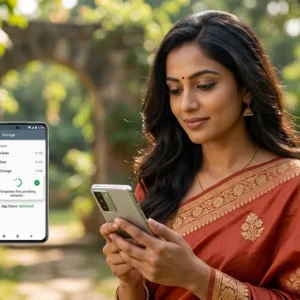
- Open Settings → Apps → Teen Patti Stars (or Application Manager on older phones).
- Tap Storage → Clear Cache.
- If needed, also Clear Data (you may need to log in again).
This removes temporary files that often cause the Teen Patti Stars app not working or crashing problems.
- Free Up Storage Space
Make sure you have at least 500 MB–1 GB free. Delete unused apps, photos, or videos. Low storage frequently stops the app from opening properly.
- Get the most recent version of the app.
Download the newest APK only from the official Teen Patti Stars website (teenpattistars.io or the current official domain). Avoid third-party sites. Outdated versions lose compatibility after server updates and become a top reason the app stops working.
- Reinstall the App
Uninstall Teen Patti Stars completely. Restart your phone. Download the fresh APK from the official source, enable “Install from unknown sources” if prompted, and install again. To log in, enter your registered cellphone number.
- Check Device Compatibility and System Updates
Ensure your Android version is reasonably recent. Update your phone’s system software via Settings → System → System Update. Close other heavy apps running in the background.
Common Specific Issues and Solutions
App Opens but Shows Black/Blank Screen
Clear cache, free storage, and reinstall. Also try switching networks.
Login Problems or OTP Not Coming
Double-check your mobile number (use the correct Indian number without extra spaces). Wait a couple of minutes and request OTP again. Ensure SMS is not blocked. Switch networks if needed. If the account appears locked after multiple attempts, wait 30 minutes or contact support.
App Crashes During Gameplay
Update the app, clear cache, and ensure stable internet. Low battery or overheating can also trigger this—charge your phone and close background apps.
“App Not Installed” Error
The download may be corrupted. Delete the APK, free space, restart the phone, and download again from the official site.
Extra Tips for Indian Players
- Use a reliable 4G/5G connection or home Wi-Fi, especially during peak evening hours when many players are online.
- Keep your registered mobile number active for OTP and support.
- Note that services are restricted in certain states (Assam, Arunachal Pradesh, Andhra Pradesh, Telangana, Odisha, and Nagaland). Playing from restricted areas can cause access issues.
- Always download from official sources only to avoid malware or fake versions that worsen problems.
- For payment or withdrawal-related glitches (separate from pure app performance), complete KYC properly and use supported methods like UPI.
Still Not Working? Contact Support

If the Teen Patti Stars app is still not working after trying the steps above, reach out to the official support team. They offer 24/7 help via in-app chat, Telegram, WhatsApp, or the numbers listed on the official website. Share screenshots of the error, your device model, and Android version for faster resolution.
Most players get the app running again within a few minutes using the basic fixes. Keep the app updated, maintain free storage, and use a stable connection—these habits prevent most future issues.
Play responsibly, stay within your limits, and enjoy your games. If this guide helped fix your Teen Patti Stars app not working problem, share it with fellow players who might be stuck too.