

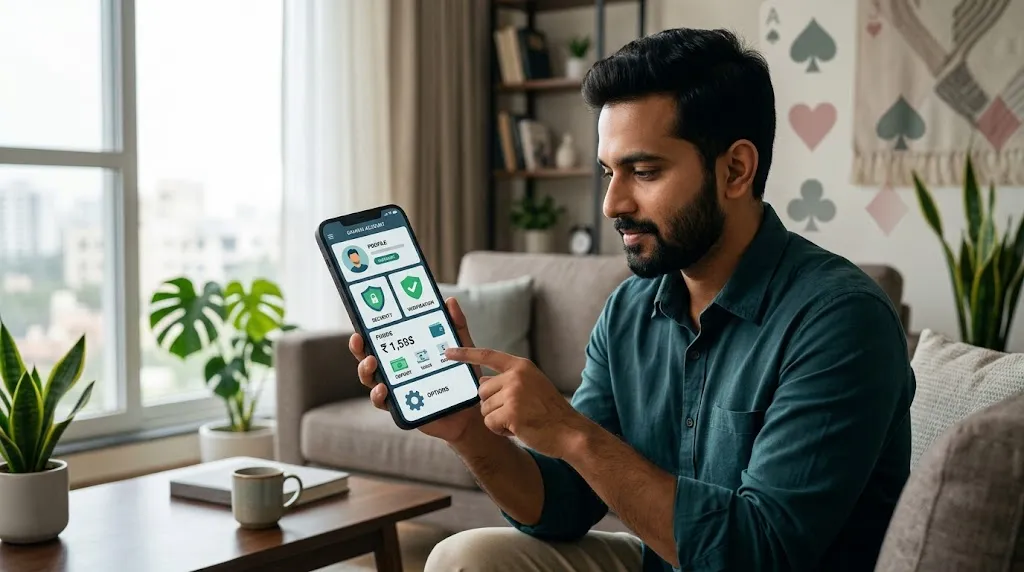
Managing your teen patti stars account properly is the difference between smooth play and constant headaches. Whether you just downloaded the app in Delhi, Mumbai, Bangalore, Hyderabad, or a smaller city in India, getting the settings right, locking down security, and completing verification early saves time and protects your chips and withdrawals.
This guide is written for Indian players in 2026. It covers practical steps that actually work on the Teen Patti Stars app (Android-focused, as iOS support is still limited).
Creating and Binding Your Teen Patti Stars Account
Most players start with a mobile number. After installing the official APK from the verified source (avoid random Telegram or WhatsApp links), open the app and register with your Indian mobile number. You’ll receive an OTP. Enter it, set a strong password, and you’re in.
Do not stay on a guest account. Bind your mobile number immediately. Guest accounts cannot be recovered if you change phones or lose access. Once bound, your teen patti stars account becomes permanent and recoverable.
After login, complete your basic profile. Keep the name, mobile, and any email consistent. These details matter later during verification and withdrawals.
Essential Account Settings to Configure First
Go to the profile or settings section (usually bottom-right or gear icon). Check these:
- Mobile binding status – Confirm it shows as linked.
- Password – Change the default if you used a weak one. Use a mix of uppercase, lowercase, numbers, and a special character. Avoid birthdays, “123456”, or your mobile number.
- Notification preferences – Keep login alerts and withdrawal notifications on. Turn off unnecessary promotional spam if it bothers you.
- Language – Hindi or English, whichever feels comfortable for reading terms and support chats.
- Device management – Log out from any old or shared devices if the option appears.
Update these settings every few weeks, especially after changing your phone or SIM.
Security Practices That Actually Protect Indian Players

Online card games attract phishing attempts. Here’s what works in the Indian context:
- Never share OTP, password, UPI PIN, or bank details with anyone claiming to be “customer care.” Official support never asks for these.
- Download only from the official Teen Patti Stars website or verified channels. Modified APKs are a common way accounts get compromised.
- Avoid public Wi-Fi for logins or withdrawals. Use mobile data or a trusted home network.
- Turn on any two-factor or device verification options that are available. Some logins from new devices already trigger an extra OTP.
- Change your password every 30–45 days.
- Lock your phone with biometric or a strong PIN. Never leave the app open and unattended.
If you notice unfamiliar logins or sudden balance changes, change the password immediately and contact official support through the in-app help section.
Verification Process for Your Teen Patti Stars Account
Verification (often called KYC) becomes necessary before larger withdrawals or certain features. In India, most real-money gaming apps expect:
- Aadhaar linked to your active mobile number
- PAN linked to the same Aadhaar with matching name
- Bank account or UPI ID in your own name
Typical flow inside the app:
- Open Profile or Wallet.
- Look for “KYC”, “Verify Account”, or a pending badge.
- Follow the prompts — this may start with Aadhaar OTP for smaller limits or require document upload + selfie for higher amounts.
- Upload clear photos of Aadhaar and PAN (good lighting, no glare, full document visible).
- Complete any face match or selfie step.
- Submit and wait for review. Clean documents usually process faster.
Name, date of birth, and address should match across Aadhaar, PAN, and bank details. Mismatches are the top reason for rejection. Keep your Aadhaar-mobile link active on the UIDAI portal and ensure your PAN shows as “operative” and Aadhaar-linked on the Income Tax e-filing site.
Re-verification can trigger if you change mobile number, bank account, or after a certain period. Treat it as normal compliance rather than a problem.
Withdrawal and Payment Security Tips
Always withdraw to your own bank account or UPI ID that matches your verified name. Third-party accounts create delays or blocks. Keep track of each transaction in the wallet’s history. If something looks off, screenshot it and reach out to support quickly.
Teen Patti Stars and similar platforms process withdrawals regularly, but verification status directly affects speed and success rate.
Common Issues Indian Players Face and Quick Fixes
- OTP not arriving — Check network, try after a few minutes, or switch between Wi-Fi and mobile data.
- KYC rejected — Re-upload clearer photos in good daylight against a plain background. Ensure names match exactly.
- Cannot recover account — This usually happens with unbound guest accounts. Always bind the mobile early.
- Login from new phone — Expect an extra verification step. Keep your original mobile number active.
Responsible Play Reminder for India
Teen Patti Stars is intended for users 18 years and above. Services are restricted in certain states (Assam, Arunachal Pradesh, Andhra Pradesh, Telangana, Odisha, Nagaland and others as per current rules). Play only where it is permitted. Set personal limits and take breaks.
A well-managed teen patti stars account with proper settings, strong security habits, and completed verification gives you peace of mind whether you’re playing casually after work in Pune or grinding tables in Chennai. Take 15–20 minutes today to lock everything down — future you will thank you when withdrawals go through without friction.
Stay sharp at the tables and keep your account secure.