

 Looking for a smooth way to enjoy classic Indian Teen Patti right on your phone? The teen patti stars mobile experience brings the familiar three-card game (and more) to Android and iPhone users across India. This guide covers everything you need—download steps, setup, gameplay basics, payments tailored for Indian players, and practical tips—so you can start playing without the usual frustration.
Why Teen Patti Stars Mobile Works Well for Indian Players
Teen Patti has deep roots in Indian homes, festivals, and friend circles. The mobile version keeps that spirit alive with quick sessions, familiar rules, and features built for everyday use on Indian networks and payment apps. You get classic Teen Patti variants, Rummy options, and other popular modes in one place. The interface stays clean, loads reasonably fast even on mid-range phones, and supports local methods like UPI, Paytm, PhonePe, and Google Pay.
Important note for India: Real-money play is skill-based where allowed. The platform does not operate in restricted states including Assam, Arunachal Pradesh, Andhra Pradesh, Telangana, Odisha, and Nagaland. Always check local rules, play only if you are 18+, and treat it as entertainment. Responsible play matters.
Getting Teen Patti Stars Mobile on Android
Most players in India use Android, and the teen patti stars mobile app is primarily distributed as an APK from the official site (teenpattistars.io or the current verified domain).
- Open your mobile browser and go to the official Teen Patti Stars website. Avoid random third-party links.
- Click the “Download App” or “Download APK” button, as it is evident.
- If your phone shows a security warning, go to Settings → Security (or Privacy/Apps) and allow installation from unknown sources / your browser for this one time. Turn it back off after installing.
- Select Install after opening the downloaded APK file from your Downloads or notifications folder.
- Once installed, open the app, register with your mobile number, and verify via OTP. You can often link Facebook too if preferred.
- Claim any available signup or welcome chips/bonus, then explore the lobby.
Minimum practical requirements are usually Android 5.0 or higher, around 2GB RAM (3GB+ feels better), and a stable connection. Keep some free storage (200 MB+ is comfortable). After installation, check for updates through the official site or in-app prompts so you stay on a stable version.
Playing Teen Patti Stars Mobile on iPhone
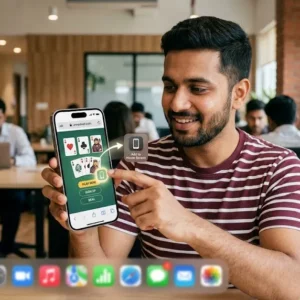
A full native iOS App Store version has not always been available at the same time as Android. Many players use the mobile website or Progressive Web App (PWA) approach:
- Open Safari and visit the official Teen Patti Stars site.
- Sign up or log in with your mobile number and OTP the same way.
- For a more app-like feel, use the “Add to Home Screen” option in Safari. This creates an icon that launches the site in a cleaner full-screen view.
- The experience is responsive, so tables, wallet, and menus work well on iPhone screens.
If a native iOS app becomes available later, the same account details usually carry over. Until then, the browser/PWA route is the reliable way for iPhone users in India.
First Steps After Installing or Opening
- Complete registration and any basic profile steps.
- Look for daily or signup bonuses (these change, so check the promotions section).
- Practice with free or low-stakes tables first to get comfortable with the interface and variants.
- Explore the lobby: Classic Teen Patti, Joker, Muflis, Rummy modes, and other popular options often appear side by side.
How to Play Teen Patti on the Mobile App (Quick Refresher)
The core rules stay the same whether you play at home or on teen patti stars mobile:
- Standard 52-card deck. Usually 3–6 players.
- Everyone puts in the boot (ante) to start the pot.
- Each player gets three face-down cards.
- You can play blind (without looking) or seen (after looking). Blind bets are usually lower.
- Betting moves clockwise. Options typically include fold (pack), call/chaal, or raise.
- Best hand wins. Ranking from strongest to weakest: Trail/Set (three of a kind), Pure Sequence (straight flush), Sequence (straight), Color (flush), Pair, High Card.
Variants like Joker or Muflis change the ranking or add wild cards, so read the table rules before joining. The app usually shows hand rankings and current pot clearly so you can decide quickly even on a smaller screen.
Deposits, Withdrawals & Indian Payment Methods
The wallet is designed around common Indian options:
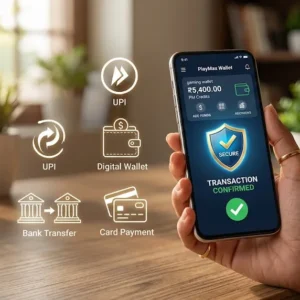
- Add cash via UPI (Google Pay, PhonePe, Paytm, etc.), cards, or net banking in many cases.
- Minimum deposits are generally low and accessible.
- Withdrawals often support UPI and aim for relatively quick processing once KYC (if required) is complete. Always verify the current status inside the app.
Never share OTPs or banking details with anyone claiming to be support. Use only the official in-app or website channels.
Practical Tips for a Better Teen Patti Stars Mobile Experience
- Use Wi-Fi or a stable 4G/5G connection. Mobile data works, but lag can cost you decisions.
- Start on lower boot tables while you learn the specific variants and table dynamics.
- Manage bankroll carefully—set a session limit and stick to it.
- Turn on notifications for bonuses and events if you want, but mute them if they distract.
- Keep the app (or browser cache) reasonably updated and clear space if the phone starts feeling slow.
- For private games with friends, look for invite or private room options if available.
- Customer support is often reachable via in-app chat, WhatsApp, or Telegram numbers listed on the official site—prefer those over random social media contacts.
Safety and Smart Habits
Download only from the official source. Modified APKs from unknown sites can be risky. Play only as much as you are willing to lose. If the game stops feeling fun, step away. The platform itself promotes responsible play and age restrictions.
Final Thoughts
The teen patti stars mobile setup makes it easy to enjoy India’s favourite three-card game whether you are on an Android phone in a busy city or an iPhone on the go. Download the APK through the official channel on Android, or use the mobile site/PWA on iPhone, register with your number, and you are ready to join tables. Focus on learning the variants, managing your chips sensibly, and treating every session as entertainment.