

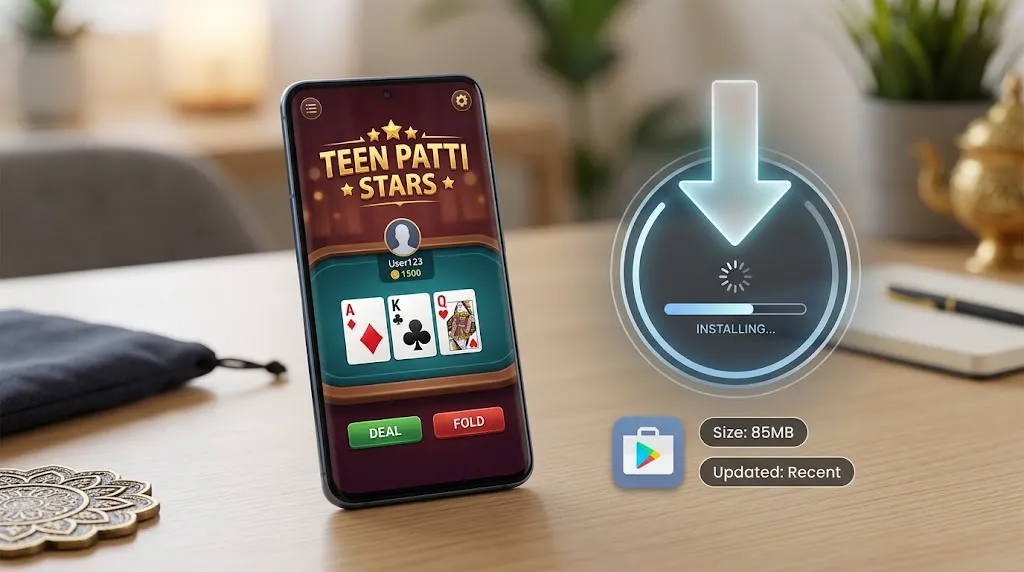
Looking for a reliable teen patti stars app download option on Android? You’re in the right place. This guide walks you through everything in plain language so you can get the app on your phone safely, set it up quickly, and start playing the classic Indian card game most of us grew up watching at family gatherings.
Teen Patti Stars brings the familiar three-card thrill (Teen Patti / 3 Patti) to your mobile, along with popular variants and a few extra games. It’s built with Indian players in mind — fast tables, local payment options where available, and an interface that feels natural whether you’re in Delhi, Mumbai, Bengaluru, Hyderabad, or a smaller town.
Why Players in India Search for Teen Patti Stars App Download
Many people prefer the official APK route because the app is frequently updated for Android devices common in India (including mid-range phones). The game focuses on:
- Classic Teen Patti tables
- Variants such as Joker, Muflis, and others
- Rummy and a few related card/casino-style options
- Real-time multiplayer with other players
- Daily bonuses and referral rewards (terms apply)
The experience is designed to feel close to playing with friends, but online and available whenever you have a decent connection.
System Requirements for Smooth Play on Android
Before you start the teen patti stars app download, check these basic requirements:
- Android 5.0 or higher (most phones from the last few years work fine)
- At least 100–150 MB free storage
- Stable internet (Wi-Fi preferred for first download; 4G works well for play)
- Enough battery and a reasonably clear screen
Low-end devices can usually run it, though a clearer connection helps during busy evening hours when many Indian players are online.
Step-by-Step: How to Download Teen Patti Stars App on Android
Here’s a straightforward way most users follow:
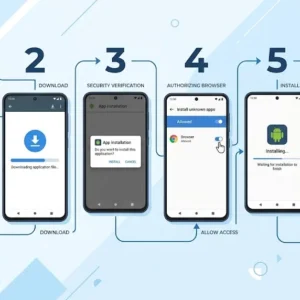
- Open your phone’s browser (Chrome works well) and go to the official Teen Patti Stars website.
- Look for the clear “Download App” or “Download APK” button (usually near the top or in a prominent place).
- Tap it. Android may show a security warning — this is normal for APKs not coming from the Play Store. Choose “Download anyway” or the equivalent option if you trust the official source.
- Once the file finishes downloading, open it from the notification panel or your Downloads folder.
- If prompted, allow installation from unknown sources (Settings → Security or Apps → Special access → Install unknown apps → enable for your browser).
- Tap Install and wait a few seconds.
- Open the app, register with your mobile number, and verify the OTP. You’ll usually receive a small welcome bonus after successful signup.
That’s it. The whole process typically takes under five minutes on a normal connection.
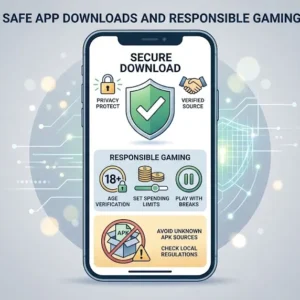
Safety tip: Always download from the official site. Avoid random third-party APK sites that promise “modded” versions — those carry higher risk.
After Installation: First Steps
- Complete your profile and bind your number if the app asks (this often unlocks extra rewards).
- Claim any daily login or welcome chips/bonus.
- Start on lower tables if you’re new or returning after a break.
- Explore private tables if you want to play only with friends.
Many Indian users appreciate the support for UPI and popular local payment methods for deposits and withdrawals where the real-money features are available (availability depends on your state and current regulations).
Key Features Indian Players Notice
- Smooth matchmaking even during peak evening hours
- Clear hand rankings and table rules so beginners don’t feel lost
- Daily rewards and referral options
- Multiplayer action with real players
- Reasonable performance on mid-range Android phones common across India
The app keeps the classic Teen Patti feel while adding modern convenience — no need to wait for a physical table.
Important Notes for Players in India
Online real-money gaming rules differ by state. Some states restrict or prohibit certain forms. Always check local laws before depositing or playing for cash. Play only if you are 18+ and treat it as entertainment, not a way to make money. Set limits and never chase losses.
Quick FAQs
Is the Teen Patti Stars app free to download?
Yes. The APK itself is free. You can play with bonus chips initially. Real-money tables (where permitted) require deposits.
Does it work offline?
No. You need an internet connection for multiplayer tables.
Can I play on older Android phones?
Most phones running Android 5.0+ can install and run it. Performance is better on newer devices.
What if the download is blocked?
Temporarily allow installation from your browser in settings, or try a different browser. After installation you can turn the setting back off.
Is customer support available?
Most versions offer in-app support and sometimes regional language help.
Final Thoughts
Getting the teen patti stars app download on Android is simple once you follow the official path. The game captures the social, fast-paced spirit of Indian Teen Patti while fitting neatly into phone play — whether you’re commuting in a metro city or relaxing at home in a smaller town.
Download from the official source, set up your account carefully, start small, and enjoy the cards. Play responsibly, and may your next trail come at the right time.
If you run into any installation snag specific to your phone model, the official support channels are usually the fastest way to sort it out.