

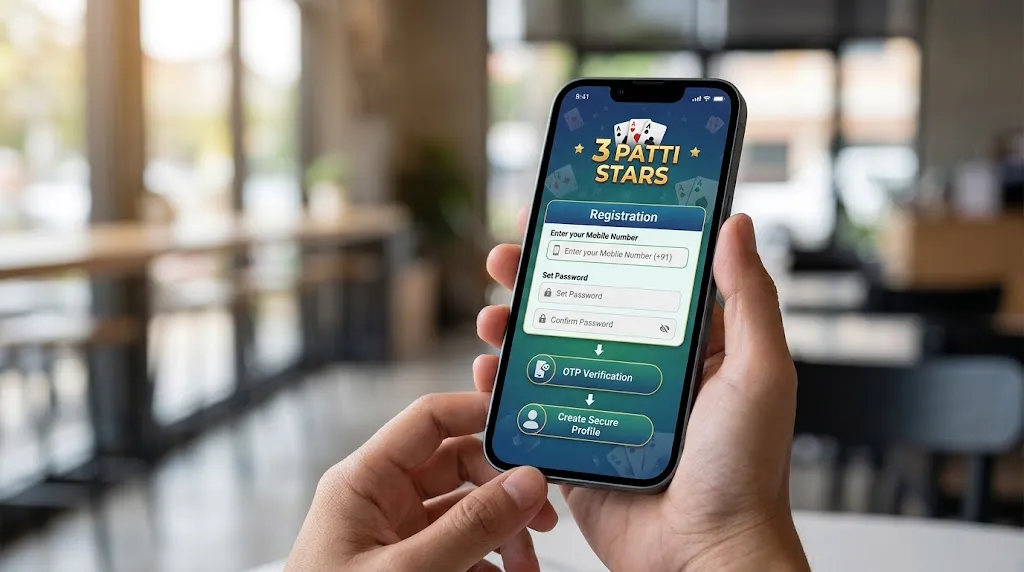
Looking for a clear, no-fuss way to complete teen patti stars registration? You’re in the right place. This guide walks you through creating an account on Teen Patti Stars the way most Indian players actually do it—step by step, in plain language.
Teen Patti Stars is a popular online platform for classic Indian card games like Teen Patti, Rummy and a few other variants. Many players in cities and towns across India (Mumbai, Delhi, Bengaluru, Hyderabad, Lucknow and beyond) use the mobile app for quick sessions. The registration process is designed to be fast, especially on Android.
What You Need Before Starting Teen Patti Stars Registration
- An Android smartphone (the platform has historically focused more on Android; check current availability for your device).
- A stable internet connection (Wi-Fi or mobile data works fine).
- An active Indian mobile number that can receive SMS (OTP verification is the standard method).
- You must be 18 years or older.
- Enough storage space for the app (usually under 50–60 MB).
Important local note for India: Always download only from the official source. Services are not offered in certain states (commonly listed as Assam, Arunachal Pradesh, Andhra Pradesh, Telangana, Odisha and Nagaland on the platform). Play responsibly and only where permitted. Online real-money gaming rules have tightened in recent years—check the latest local laws before depositing or playing for cash.
Step-by-Step: Teen Patti Stars Registration / How to Create an Account
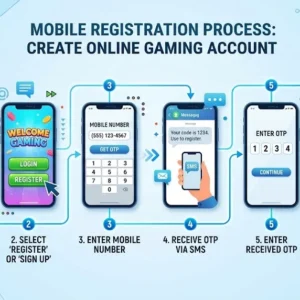
- Get the official app Visit the official Teen Patti Stars website (commonly referenced as tps.game or teenpattistars.io). Search for the APK/Download button. Avoid random third-party sites or modified files—these can put your device and account at risk. After downloading, enable “Install from unknown sources” in your phone settings if prompted (Settings → Security or Apps → Special access). Install the APK and open the app.
- Open the app and choose registration On the welcome screen you’ll usually see options to Register / Sign Up or Login. Some versions also allow Facebook login. For a permanent account (recommended for bonuses, withdrawals and recovery), go with mobile number registration.
- Enter your mobile number Type your 10-digit Indian mobile number carefully. Double-check it—this number becomes your main login and recovery method.
- Verify with OTP Tap the button to request the One-Time Password. You’ll receive an SMS almost immediately. Put the OTP in the designated box. If it doesn’t arrive within a minute or two, wait for the resend timer and try again. Make sure your number has signal and isn’t blocked for promotional SMS.
- Set a password and finish basic details Create a strong password (mix of letters, numbers and a special character). Some versions ask for a username or let you skip and set it later. Accept the terms and conditions if required. Hit Register / Submit.
- Account created – claim any welcome bonus Once verified, your account is ready. Many players receive a small sign-up bonus (reports commonly mention amounts in the ₹50–₹100 range or similar starting credits, sometimes around ₹71). Check your wallet or bonuses section. You may also get extra for binding the number properly or completing a simple profile.
That’s it. The whole teen patti stars registration process usually takes just a few minutes if your network is good.
Extra Tips for a Smooth Experience in India
- Use your own mobile number. Temporary or virtual numbers often fail verification or cause problems later with support and withdrawals.
- After registration, explore the lobby. You’ll typically see Teen Patti tables, Rummy options and sometimes other casual games.
- For deposits (when available), common methods include UPI, Paytm, PhonePe, Google Pay and cards. Withdrawals are often processed via the same channels or bank transfer, subject to any KYC the platform requires.
- Keep the app updated and only log in on trusted devices.
- Enable any available security features and never share your OTP or password.
Common Issues During Teen Patti Stars Registration (and Quick Fixes)
- OTP not received: Confirm the number, check SMS inbox and spam, wait for the timer, or switch networks temporarily.
- App won’t install: Free up space, allow unknown sources, or redownload from the official site.
- Already registered message: Try logging in instead, or use the “Forgot password” option with your mobile number.
- App not opening properly: Clear cache, restart the phone, or reinstall.
Why Players Prefer Completing Registration Properly
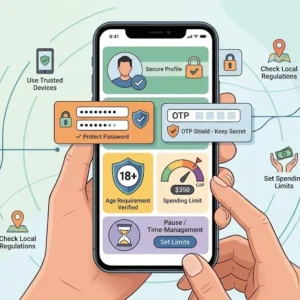
A verified account lets you save progress, claim daily or welcome rewards, refer friends (many platforms offer referral commissions), and access support if needed. Guest or incomplete accounts often miss out on these.
Final reminder: Teen Patti Stars and similar platforms are for adults (18+). Play for fun, set limits, and stay in control. The platform itself promotes responsible gaming. Availability and features can change with app updates and local regulations—always verify the current official site and terms.
Now you know exactly how to handle teen patti stars registration and create your account without confusion. Download from the official source, verify with OTP, and you’re set to explore the tables. Enjoy the game responsibly!