

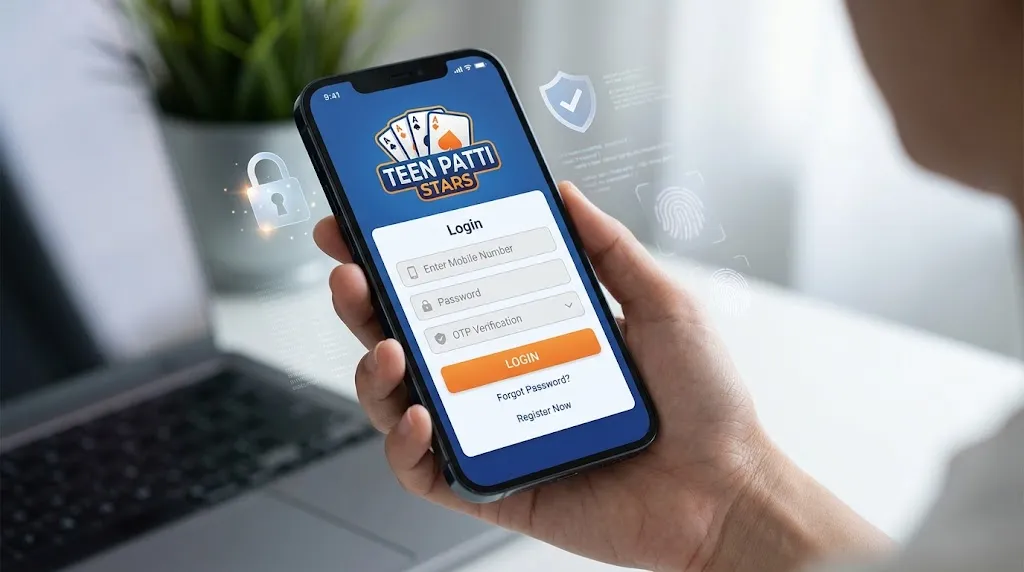
Looking for a quick and safe way to do your teen patti stars login? You’re in the right place. Whether you’re in Mumbai, Delhi, Bengaluru, Hyderabad, or any other part of India, this straightforward guide walks you through logging into your Teen Patti Stars account on the mobile app or website. The process is simple, mobile-number friendly (very common for Indian players), and designed to get you back into the lobby fast.
Teen Patti Stars is a popular platform for classic Teen Patti, rummy, and similar card games. Many players use the Android APK from official sources or the web version. Always download only from trusted official links (such as the site associated with teenpattistars.io or tps.game) to avoid fake apps.
How to Do Teen Patti Stars Login on the Mobile App (Android)
Most Indian users prefer the app for smoother play and quick access.
- Open the Teen Patti Stars app on your phone.
- On the welcome or home screen, tap the Login or Sign In option.
- Enter your registered mobile number (the one you used during signup). Some versions also accept username, email, or Facebook login.
- Enter your password if required, or request an OTP.
- Check your SMS inbox for the one-time password and type it in.
- Tap Login / Submit. You should land in the main game lobby with your chips, balance, and profile ready.
Tip for Indian users: Keep your mobile number active and ensure good network coverage (Jio, Airtel, Vi, etc.). OTPs usually arrive within seconds on a stable connection.
If you installed the APK recently, the login flow is the same once the app opens. Prior to beginning, confirm that your internet connection is reliable.
How to Access the Official Website and Log In
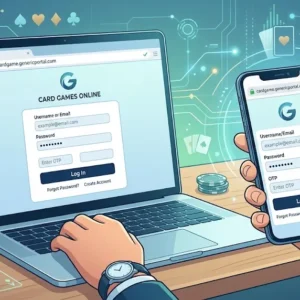
Prefer playing on a browser (Chrome, etc.) on your phone or laptop?
- Open your browser and go to the official Teen Patti Stars website.
- Look for the Login button (usually top right or on the homepage).
- Enter your registered mobile number, username, or email.
- Type your password.
- Complete any OTP or extra security check if prompted.
- Hit Log In. You’ll reach your account dashboard.
Always double-check the URL so you don’t land on a phishing page. Bookmark the correct official site for future teen patti stars login attempts.
What If You’re a New User?
If you don’t have an account yet, the signup process is equally quick:
- Open the app or site.
- Choose Register / Sign Up.
- Enter your mobile number.
- Check the OTP that you got on your phone.
- Set a username and strong password.
- Complete any basic profile steps.
Many new players receive a small welcome bonus or free chips after successful registration and verification. One account per device is the usual rule.
Common Teen Patti Stars Login Problems and Easy Fixes
Even regular players sometimes face hiccups. Here’s what usually works for Indian users:
- OTP not arriving — Check signal strength, wait 1–2 minutes, or request a new code. Make sure your number is correct and SMS is not blocked. Restart your phone if needed.
- Wrong password / invalid credentials — Double-check for typing errors or extra spaces. Enter your cellphone number, select “Forgot Password,” and use OTP to reset.
- App not opening or crashing — Clear cache, free up some storage, update to the latest APK from the official source, or reinstall.
- New device login — Extra verification (OTP or identity check) is normal for security.
- Account locked after failed attempts — Wait 15–30 minutes and try again, or contact support.
Stable Wi-Fi or mobile data makes a big difference, especially during peak evening hours when many players from across India are online.
Keep Your Account Safe – Simple Habits That Matter
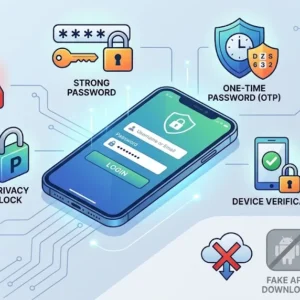
- Use a strong, unique password and never share it or your OTP with anyone.
- Enable any available two-factor or device verification.
- When utilizing public or shared devices, log out.
- Download only from official sources — avoid random APK sites.
- Watch for phishing messages or fake “login help” offers on social media or Telegram.
- Monitor your account activity and contact support immediately if something looks off.
Teen Patti Stars typically supports popular Indian payment options (UPI, Paytm, PhonePe, Google Pay, cards, etc.) once you’re inside, but complete any required KYC carefully when asked for withdrawals.
Quick FAQs on Teen Patti Stars Login
Can I use my cell number alone to log in?
Yes — mobile number + OTP is one of the most common and convenient methods for Indian players.
Does the app work on iOS?
Primarily optimized for Android. Check official channels for any iOS updates.
What if my number has changed?
Reach out to in-app support or the official help channels with your old details and KYC info so they can assist with account recovery or update.
Is multi-device login possible?
You can usually access the same account from different devices after proper verification. Progress and balance sync.
Age requirement?
18+ only. Play responsibly.
Note on legality and responsible play (India focus)
Online real-money gaming rules in India have changed significantly. Always check the latest local laws and regulations in your state before depositing or playing for cash. The platform itself encourages responsible gaming — set limits, take breaks, and never play with money you can’t afford to lose. Free or practice modes (where available) are safer options for pure entertainment.
That’s it — your teen patti stars login should now be smooth and secure. Open the app or site, follow the steps above, and you’ll be back at the tables in minutes. If you still face issues, use the in-app chat or official support channels for quick help.